Why Ram Navami AI Photo Editing Prompts Matter
Ram Navami celebrates the birth of Lord Rama, a festival marked by devotion, temple visits, bhajans, and vibrant decorations. AI photo editing prompts let you transform ordinary portraits into divine works of art, from soft golden temple scenes to cinematic images of Lord Rama with a bow and arrow. Instead of learning complex editing tools, you can use text prompts to guide AI and create respectful, beautiful images in minutes.
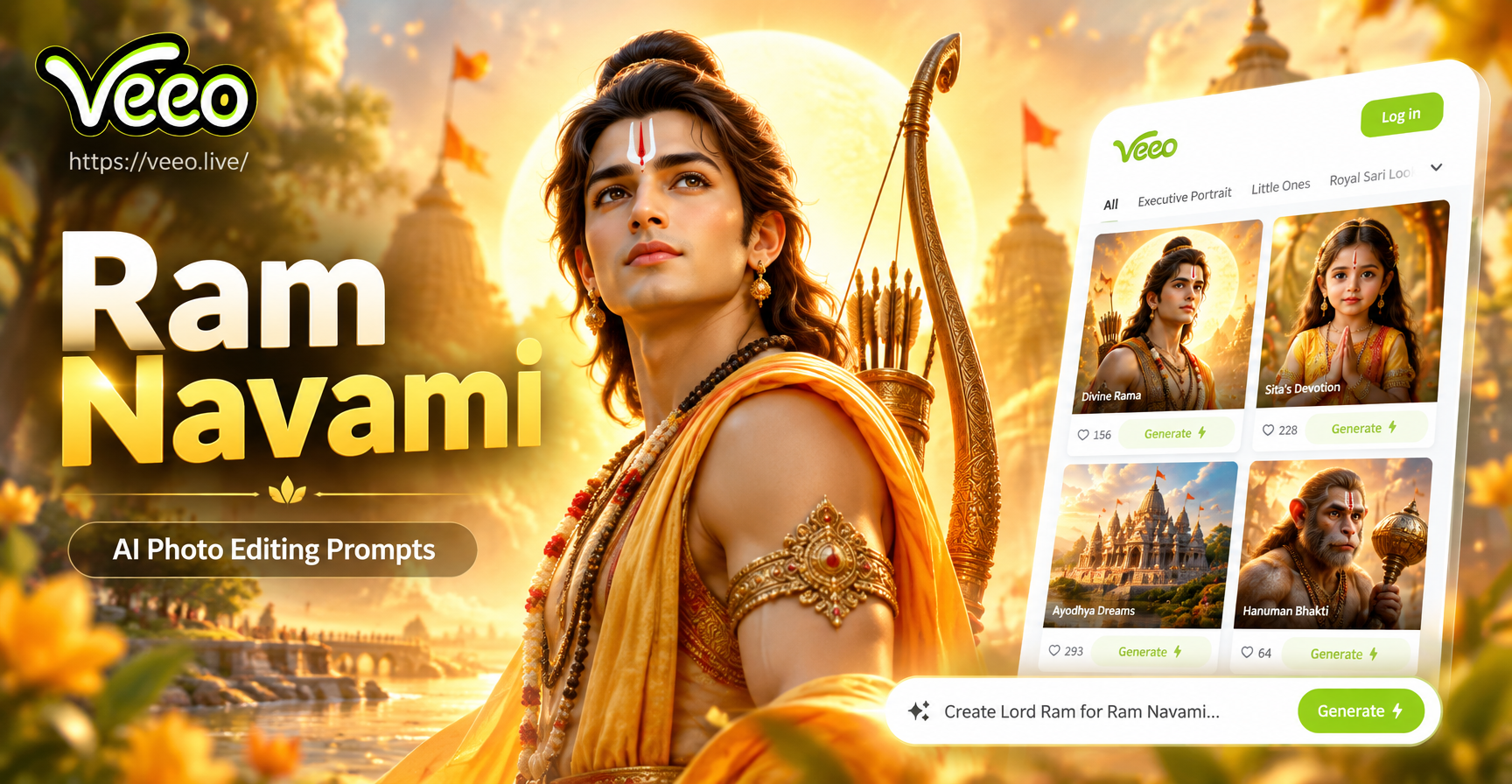
These prompts are written for veeo, an AI design app for Android. The app combines text-to-image and image-to-image editing with thousands of style filters. You can upload a family photo, a portrait, or a blank canvas, then apply a prompt that adds festive elements, temple architecture, or devotional lighting. The key is writing prompts that clearly describe the subject, setting, mood, and style.
How to Use Ram Navami AI Prompts in veeo
Open the veeo app and choose either text-to-image or image-to-image. If you have a photo, upload it and keep the prompt focused on changes you want. If you start from text, describe the full scene. Then select a style filter such as realistic photography, cinematic, oil painting, or Ghibli style to match the mood. Generate two or three variations and adjust the prompt if you see distorted faces or incorrect symbols.
For respectful results, avoid prompting AI to alter religious symbols in unrealistic or disrespectful ways. Keep Lord Rama's traditional attributes intact: the bow, the blue complexion, the calm expression, and the simple royal clothing. Use words like "serene", "devotional", "golden hour", and "temple mural" to guide the output.
20 Ram Navami AI Photo Editing Prompts to Try
Lord Rama Portraits
- A serene portrait of Lord Rama with a gentle smile, blue skin, wearing a saffron dhoti and gold jewelry, holding a bow and arrow, standing in front of a soft golden temple courtyard, realistic oil painting style
- Close up digital art of Lord Rama with a calm face, tilak on forehead, eyes looking upward in devotion, soft bokeh of diyas and marigold flowers in the background, warm festival lighting
- Lord Rama and Sita standing together under a floral canopy, both wearing traditional royal attire, lotus flowers at their feet, intricate temple pillars behind them, cinematic lighting, 4K detail
- A heroic image of Lord Rama pulling the divine bow, dynamic pose, dramatic clouds and sunlight rays, temple silhouette in the distance, ultra realistic concept art
- Ghibli style portrait of Lord Rama walking through a sunlit forest with Sita and Lakshmana, soft pastel colors, peaceful expressions, detailed leaves and light rays
Temple Backgrounds and Architecture
- An elderly man standing at the entrance of a grand South Indian temple decorated with banana leaves and marigold garlands for Ram Navami, realistic photo edit, natural skin texture, clear face
- A young woman in a yellow saree lighting oil lamps inside a stone temple corridor, intricate carvings on pillars, warm glowing diyas, soft smoke, devotional atmosphere
- An empty temple courtyard at sunrise with golden light falling on a statue of Lord Rama, marigold petals scattered on the floor, peaceful and sacred mood, photorealistic
- A family of four standing together in front of a decorated Ram temple on Ram Navami, everyone wearing traditional clothes, happy and respectful expressions, colorful rangoli at the entrance, realistic photo
- Wide angle shot of a temple festival procession with people carrying a decorated idol of Lord Rama, vibrant colors, flower petals falling, motion blur on crowd, cinematic photography
Festive Colors and Decor
- Close up of hands folded in prayer with a background of marigold flowers, diyas, and a small framed image of Lord Rama, soft golden bokeh, devotional macro photography
- A woman in a red and gold saree holding a thali with a diya and flowers, standing before a home altar decorated for Ram Navami, warm interior lighting, realistic portrait
- A child dressed as little Rama with a small bow and arrow, smiling, standing beside a decorated cradle with flowers and banana leaves, bright festive background, photorealistic
- Still life of a Ram Navami puja setup with fruits, sweets, incense sticks, and a picture of Lord Rama, shallow depth of field, warm candlelight, high detail
- An artistic watercolor illustration of Lord Rama with a bow, surrounded by floating marigold petals and soft blue and saffron washes, delicate brush strokes, minimal background
Cinematic and Mythological Scenes
- Cinematic still from a mythological film showing Lord Rama and Hanuman kneeling in a forest, dramatic god rays, dust particles in the air, emotional and powerful composition
- Low angle shot of Lord Rama standing on a rock by a river at sunset, bow in hand, saffron flag fluttering, clouds painted orange and gold, epic fantasy art
- An elderly storyteller narrating the Ramayana to children under a banyan tree, soft evening light, fireflies, earthy tones, emotional and nostalgic style
- A silhouette of Lord Rama aiming an arrow at the sky during twilight, temple towers in the background, stars beginning to appear, deep blue and orange gradient sky
- A beautifully decorated Ram Navami greeting card with a golden border, a central portrait of Lord Rama, floral motifs, and the text "Happy Ram Navami" in elegant Devanagari inspired lettering, festive and respectful
How to Adapt These Prompts for Your Own Photos
If you want to edit an existing photo rather than generate from text, remove the subject details from the prompt and describe only the changes. For example, instead of "a young woman in a yellow saree lighting oil lamps", write "add a yellow saree, place the person in a stone temple corridor with oil lamps, keep the original face unchanged, warm golden lighting". In veeo, use the image-to-image mode and choose a style filter that matches your photo's original look.
You can also mix prompts. For a family group photo, use a foundational prompt like "a family of four in traditional clothes standing in front of a decorated Ram temple on Ram Navami, happy and respectful expressions, colorful rangoli, realistic photo" and then add details about your family members' ages, clothing colors, or the specific temple name if needed. The more context you give, the more accurate the result.
Common Problems and How to Fix Them
AI photo tools sometimes make mistakes with hands, facial features, and religious symbols. Here are the most common issues with Ram Navami prompts and how to solve them.
Distorted Faces or Extra Limbs
When editing a group or portrait, add the phrase "keep the original faces unchanged and anatomically accurate" at the end of the prompt. If the output still looks wrong, generate a new variation or crop the image before uploading. In veeo, choosing the "realistic photography" filter often gives more natural human features than anime or 3D styles.
Incorrect Bow, Arrow, or Tilak
Lord Rama is traditionally shown with a specific bow and a tilak on his forehead. If the AI adds modern weapons or removes the tilak, specify "traditional long bow, no modern weapons, clear red tilak on forehead, simple royal necklace and armlets". Avoid words like "gun" or "modern outfit" unless you intentionally want a creative fusion.
Overly Busy Backgrounds
If the background becomes cluttered, add "simple background, shallow depth of field, focus on the subject" at the end of the prompt. For temple scenes, you can also write "soft blurred temple pillars in the background" to reduce visual noise.
Wrong Skin Tone or Clothing
If the AI makes skin tone inconsistent or clothing inaccurate, specify the exact colors and traditional garments. For Lord Rama, "blue skin, saffron dhoti, gold jewelry" works well. For people in your photos, describe the existing clothing color and ask the AI to keep it consistent.
Best Style Filters for Ram Navami AI Edits
veeo offers over a million style filters, which means you can match the mood of your edit to the occasion. For realistic puja photos, choose the realistic photography or cinematic filter. For greeting cards and social media posts, watercolor, oil painting, or Ghibli style can add a soft, heartwarming feel. If you want an epic mythological look, try the cinematic or concept art filter with the prompts above.
Start with the prompt, then test two or three filters. Keep the same prompt but change the filter to see how the mood shifts. A watercolor filter can turn a powerful bow-drawing scene into a gentle festive illustration, while a cinematic filter makes it look like a film still.
Where to Use Your Ram Navami AI Edited Photos
These images work well for WhatsApp statuses, Instagram posts, Facebook cover photos, and personalized greeting cards. You can also print them as small posters for home puja rooms or use them as digital invitations for Ram Navami gatherings. Because the prompts focus on respectful, festive, and devotional elements, they are suitable for family and community sharing.
When you share, consider adding a short caption with a Ram Navami greeting and a note that the image was AI generated. This keeps the message clear and respectful. You can also use the same prompts to create a series of images, such as a three-panel story of Lord Rama's journey, for a more engaging social media post.
More Ram Navami Prompt Ideas to Explore
Beyond the 20 prompts above, you can create your own by combining these visual building blocks: subject, action, setting, clothing, lighting, and style. For example, start with "Lord Rama" plus "walking through a forest" plus "wearing simple bark clothing" plus "soft morning light" plus "Ghibli style". Or use "a grandmother lighting a diya" plus "home altar with banana leaves" plus "warm golden hour" plus "realistic photography". The possibilities are endless and can be tailored to your family's traditions.
For a more personal touch, upload a photo of your own home altar or family members and ask the AI to add festive decorations, flowers, or soft lighting without changing the people. This is a gentle way to honor the festival while keeping your real memories intact.
Conclusion
Ram Navami AI photo editing prompts turn a simple portrait into a heartfelt devotional image. With the right words, you can create respectful Lord Rama portraits, decorated temple backgrounds, and festive family scenes without any design experience. Download veeo, choose a style filter, and start experimenting with these prompts today.