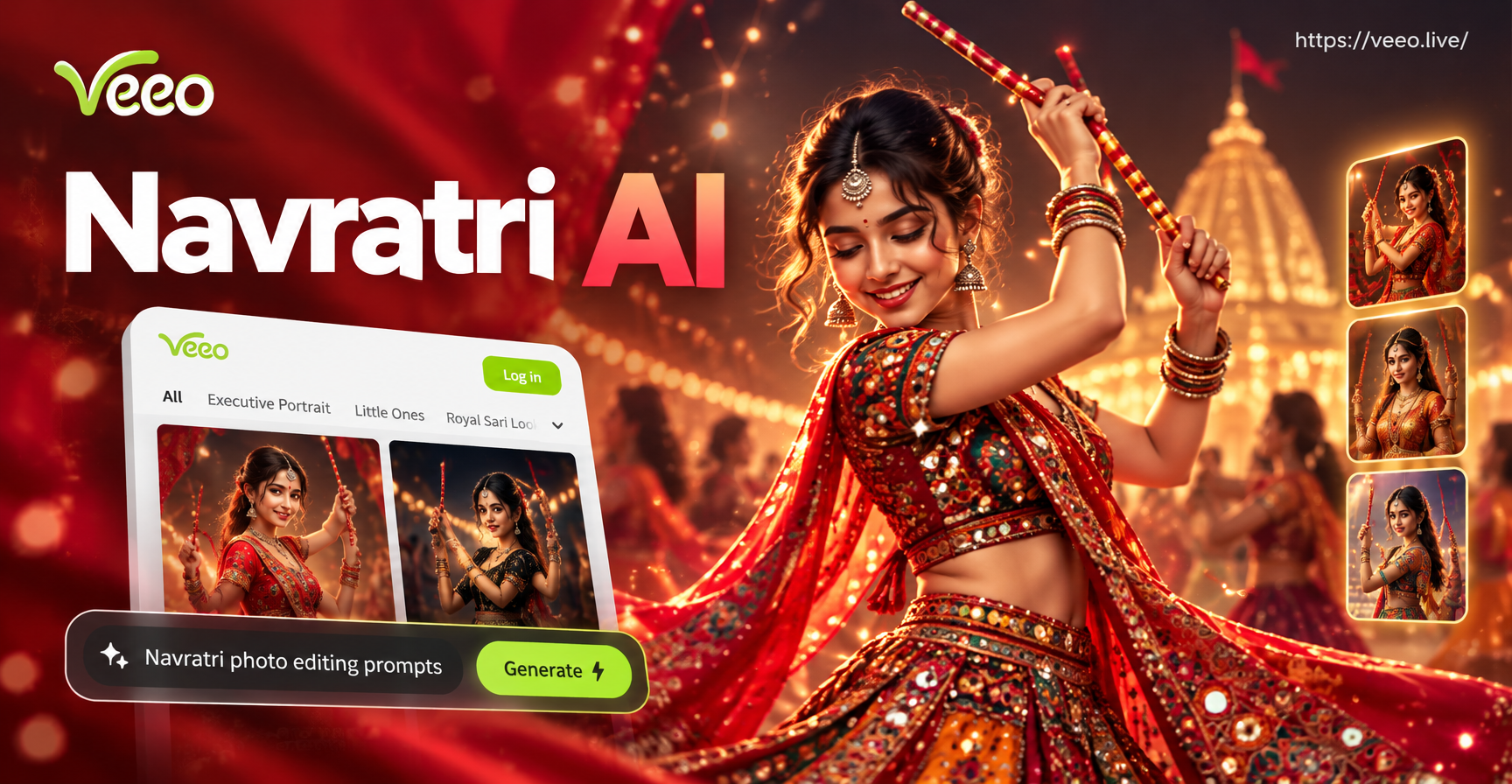
Navratri is a nine night celebration full of color, movement, and traditional dress. If you want to turn a casual portrait into a festive Garba shot or add a dandiya night background to a selfie, Navratri AI photo editing prompts can help. These are short text instructions that guide an AI image editor to change outfits, lighting, backgrounds, and expressions while keeping your face and body structure recognizable. This guide includes more than 25 Navratri AI photo editing prompts that work with the veeo app's image to image and text to image features.
What Makes a Good Navratri AI Photo Editing Prompt?
A useful prompt tells the AI exactly what to add, change, or keep. For Navratri, the strongest results come when you describe the outfit, pose, setting, lighting, and mood in one clear sentence. Avoid vague words like nice or beautiful. Instead, name the fabric, colors, jewelry, and background. The more detail you give, the closer the final image will match a real Navratri celebration.
Key Elements to Include in Your Prompt
- Outfit details: chaniya choli, kediyu, dupatta, mirror work, bandhani, leheriya, zari border, embroidery
- Action: dandiya, garba, clapping, twirling, mid dance, partner pose
- Location: decorated mandap, garba ground, haveli courtyard, temple entrance, open event stage
- Lighting: warm diya light, string lights, golden hour, stage lights, soft studio light
- Color palette: red, yellow, green, orange, pink, royal blue, maroon, mirror silver
- Camera style: full body shot, close up portrait, cinematic wide angle, editorial fashion, film grain
25 Navratri AI Photo Editing Prompts
Traditional Portrait and Outfit Prompts
1. Turn this photo into a Navratri portrait wearing a red and green bandhani print chaniya choli with heavy mirror work, gold jewelry, and a matching dupatta, studio lighting, warm maroon background.
2. Edit this photo to show a woman in a bright yellow Gujarati chaniya choli with multicolor embroidery, silver oxidized jewelry, soft smile, festival makeup, plain red backdrop.
3. Transform this portrait into a traditional Navratri look with a blue and pink leheriya chaniya choli, silver bangles, bindi, and natural golden hour light.
4. Give this photo a royal Navratri makeover with a deep purple silk chaniya choli, gold zari border, kundan jewelry, and a blurred palace background.
5. Change the outfit to a men's kediyu with dhoti, turban, and mojari shoes, standing pose, festive mandap background with marigold garlands.
6. Edit this couple photo into a Navratri couple look, woman in red chaniya choli and man in white kediyu, both holding dandiya sticks, smiling, warm diya lighting.
Garba and Dandiya Action Prompts
7. Convert this photo into a dandiya night action shot, subject mid twirl wearing a flowing orange chaniya choli, dandiya sticks in both hands, motion blur, colorful lights, night event background.
8. Add motion to this photo as a garba dance pose with one hand raised, skirt flared, mirror work outfit sparkling, crowd softly blurred behind.
9. Edit this image to show a group of friends dancing garba in a circle around a decorated garba pot, traditional outfits, overhead string lights, joyful expressions.
10. Create a close up dandiya action shot showing hands holding painted dandiya sticks, bangles, and decorated event background with bokeh lights.
11. Transform this portrait into a garba night profile with side lighting, flowing dupatta, and colorful event stage lights in the background.
12. Edit this photo to add a dandiya partner pose, two people facing each other with sticks crossed, traditional Navratri outfits, energetic smiles.
Festival Backdrop and Lighting Prompts
13. Keep this face and pose but replace the background with a Navratri mandap decorated with marigold flowers, banana leaves, and glowing diyas.
14. Add a warm festival atmosphere with rows of diya lamps, hanging lanterns, and a blurred crowd at a garba ground at night.
15. Edit this photo into a golden hour Navratri portrait with soft sunlight, traditional chaniya choli, and a haveli courtyard with jharokha arches.
16. Change the background to a temple entrance decorated for Navratri with orange marigold garlands, brass lamps, and kolam patterns on the floor.
17. Add festive string lights and bokeh to this portrait while keeping the subject sharp, nighttime garba venue, vibrant red and yellow outfit.
18. Transform the setting into a decorated dandiya night with colorful fabric drapes, stage lights, and a distant decorated garba pot.
Cinematic and Editorial Navratri Looks
19. Edit this portrait into a cinematic Navratri poster, dramatic side lighting, deep red and gold theme, subject in traditional chaniya choli, film grain, high contrast.
20. Create an editorial fashion Navratri shot, full body pose, mirror work blouse and flowing skirt, plain textured wall, soft studio light, magazine style.
21. Turn this photo into a vintage film look with warm tones, slight grain, traditional Navratri outfit, and a decorated old haveli background.
22. Apply a Ghibli style transformation to this Navratri photo, soft pastel colors, traditional chaniya choli, friendly expression, festive background with lanterns.
23. Edit this image to look like a photorealistic Navratri Instagram post, high detail, vibrant colors, dandiya sticks in hand, clean composition, natural skin texture.
24. Create a black and white Navratri portrait that keeps only the red of the chaniya choli visible, dramatic spotlight, high contrast film look.
25. Transform this photo into a festive greeting card style with a border of marigold flowers, traditional outfit, warm lighting, and text space at the side.
How to Adapt These Prompts to Your Photo
Each prompt works best when you customize the details. Change the outfit color to match the chaniya choli you already own or want to see. If you are editing a child's photo, write child instead of woman or man. For a couple, name both outfits and add holding hands or facing each other. For a group, mention all subjects wear traditional Navratri clothes and keep each face recognizable. You can also add keep the same face, preserve facial features, natural skin texture, and no extra fingers to reduce common AI errors.
To use these prompts in veeo, open the app, upload your photo in the image to image tool, paste one prompt, and choose a style template that matches your desired look. If the result is close but not perfect, change one detail at a time instead of rewriting the whole prompt.
Common Navratri AI Photo Editing Problems and Fixes
- Face looks different: Add keep the same face, preserve facial identity, and realistic portrait details at the end of your prompt.
- Outfit looks flat or generic: Describe the fabric more specifically, such as bandhani print chaniya choli with mirror work and gold zari border.
- Background did not change: Start the prompt with replace the background with and describe the exact Navratri setting you want.
- Hands look unnatural around dandiya sticks: Add natural hands, five fingers, and proper grip on painted dandiya sticks to reduce distortion.
- Colors look washed out: Add vibrant color saturation, deep red, bright yellow, and festive color grading to your prompt.
Using veeo for Navratri AI Photo Editing
The veeo mobile app is a practical option for creating Navratri photos without complex prompt engineering. It supports image to image editing, so you can upload an existing selfie or portrait and apply any of the prompts above. It also includes style templates for realistic photography, cinematic quality, and soft illustration looks. After you download the app, select a Navratri related style or enter a prompt directly, then generate and save your image. Keep product use brief and focus on enjoying the process of creating festive edits.
Final Tips for Better Navratri AI Photos
- Use a clear, well lit source photo with an unobstructed face.
- Keep the original pose simple if you want the AI to add new clothing.
- Combine one outfit prompt with one background prompt for more control.
- Avoid overly long prompts. One focused sentence with four to six details works well.
- Try the same prompt with a few different style templates to see which result feels most festive.
With these Navratri AI photo editing prompts, you can turn an ordinary photo into a vibrant Garba portrait, a dandiya night action shot, or a warm festive greeting. Start with one prompt, adjust the details to your taste, and let the AI handle the transformation.